
HyperWrite AI Review 2025 + Best Alternatives Compared
Tested: HyperWrite AI promises smart, fast writing—but does it deliver? See how it performs, its pros and cons, and why CoWriter.ai stands out.

If you write with an AI avidly, it’s easy to spot a shallow AI writing tool.
Many promise perfect writing assistance but end up producing robotic, off-tone text or charging too much for what they offer.
Based on popular demand, I finally got to test Hyperwrite AI.
The tool claims to make writing faster and smarter with its unique “personal assistant” approach.
Did Hyperwrite AI live up to expectations? Would I recommend you use it?
In this review, we’ll look at how HyperWrite AI really performs, where it shines, and where it falls short.
Key Takeaways
- HyperWrite AI helps users brainstorm, draft, and rewrite content by analyzing context and adapting to their writing style in real time.
- After comparing accuracy, tone, creativity, and usability, I’d rate it a solid 7.5 out of 10 overall.
- Top alternatives include CoWriter.ai, Jasper, and Writesonic. And, CoWriter.ai leads for quality, speed, and value for money.
How HyperWrite AI Works
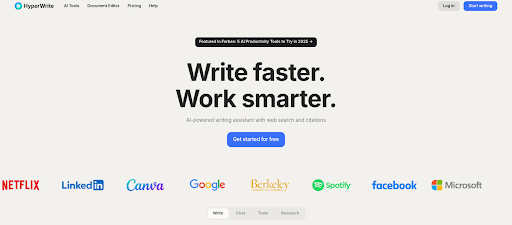
HyperWrite AI works like a personal digital writing assistant that studies your input and suggests ways to improve or complete your text.
It uses machine learning to analyze the tone, structure, and intent of what you’re writing, then gives tailored prompts, rewrites, or completions that sound closer to human writing.
Whether you’re drafting an email, creating blog content, or refining an essay, it aims to make the process faster and less stressful.
- What makes it stand out a bit is how it builds context as you write. Instead of throwing random ideas at you, HyperWrite keeps track of previous sentences and adapts its tone to match your writing flow.
It also includes features like “type-ahead” suggestions, rewrite tools, and a browser extension that lets you use it across apps like Gmail or Google Docs.
Key Features of HyperWrite AI
Here are some of HyperWrite’s most distinctive features that tickled my fancy:
- Contextual Writing Engine: Tracks what you’ve written and suggests smooth, natural next sentences. Similar to how the CoWriter.ai Free AI Writer maintains tone and flow across long-form content.
- Rewrite and Tone Adjustment: Lets you rework sentences or paragraphs while keeping the same meaning. Great for human-like rewrites.
- Browser Extension: Works directly in Gmail, Google Docs, and other writing platforms so you can get help while you type.
- Creative Content Support: Offers tools for blog posts, stories, and scripts.
- Personal Assistant Mode: You can ask it to summarize, research, or cite sources.
My Full Review of Hyperwrite AI
Before looking at alternatives, it’s worth breaking down how HyperWrite performs where it matters most. These areas show what the tool is actually like to use day to day.
Accuracy
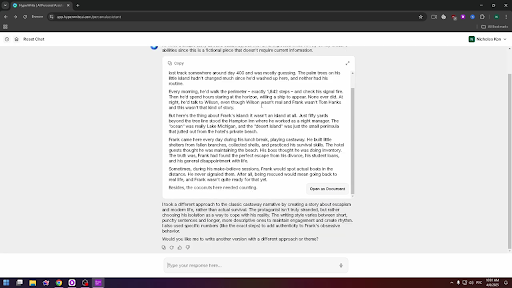
HyperWrite does a good job of understanding prompts and keeping text coherent.
It maintains tone and logic in short pieces but can lose direction in longer or more technical writing.
Speed
Generation speed is fair: short outputs come quickly, while long-form drafts take a few seconds to load.
From this:
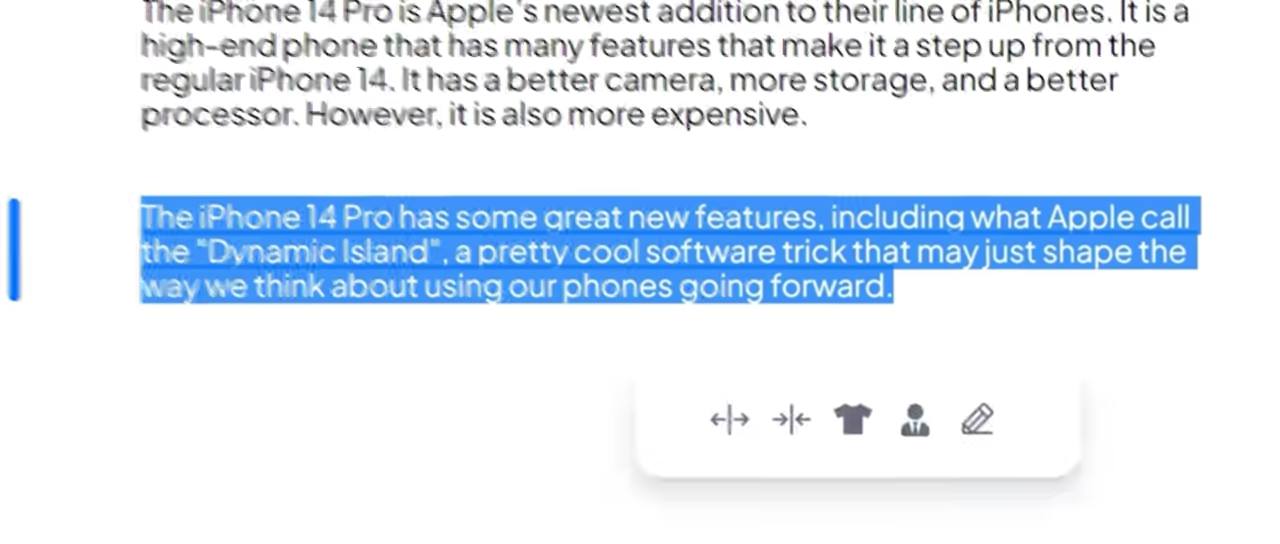
To this:
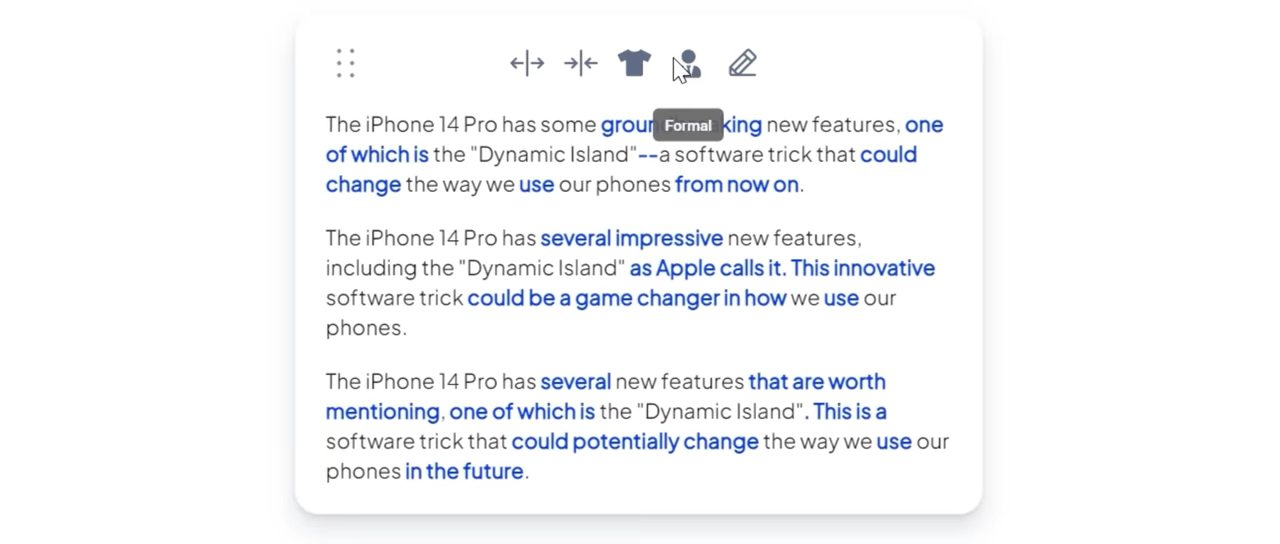
In seconds!
The pacing helps preserve clarity but may slow down users who rely on fast ideation.
Ease of Use
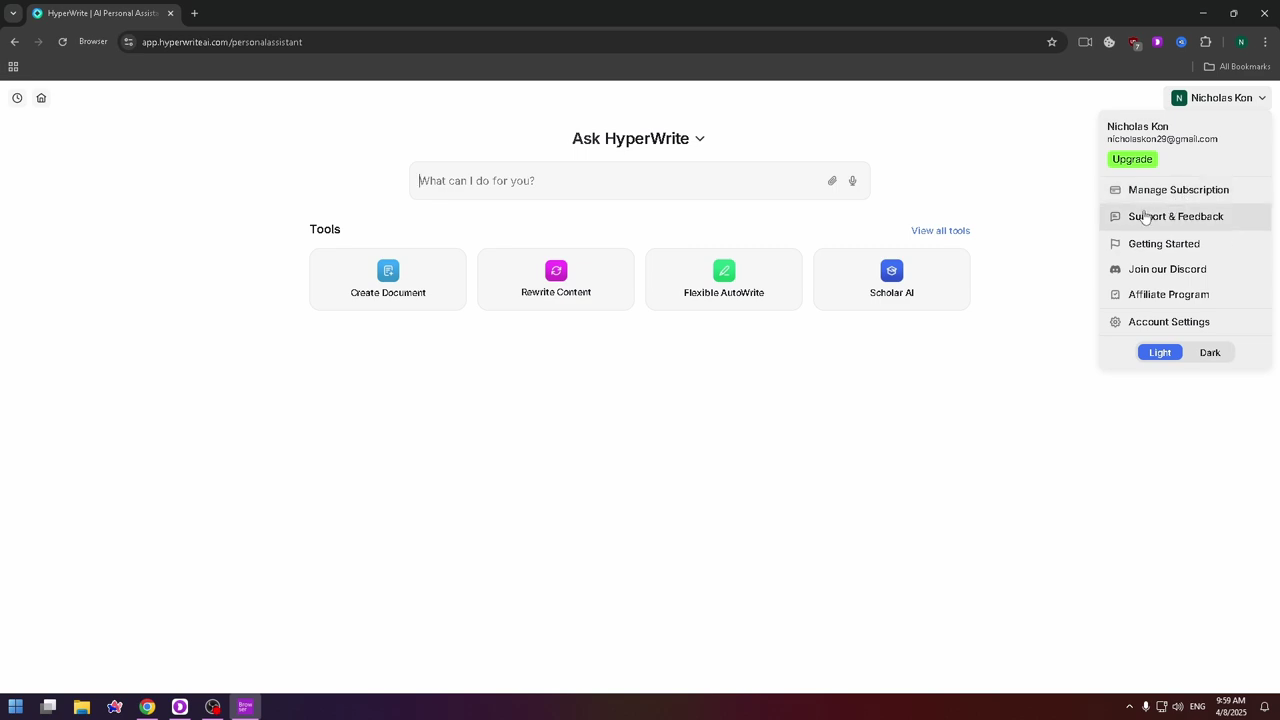
HyperWrite’s interface is clean, easy to navigate, and works well for users who want something straightforward.
The browser extension adds flexibility, letting you use it in Gmail, Google Docs, and other apps.
Learning Curve
There’s barely any learning curve.
You can start writing immediately and figure out the rest as you go. However, it responds best when prompts are clear and specific.
Reliability
HyperWrite AI runs smoothly for everyday writing and editing.
It rarely freezes or crashes, though longer sessions may cause brief lags. It’s solid for light to medium workloads.
Accessibility
HyperWrite is available through a web app and Chrome extension, making it easy to access from almost any device.
It syncs across browsers, so your progress isn’t lost between sessions.
Pricing, Plans & Usage Limits
HyperWrite offers three main plans: Free, Premium, and Ultra.
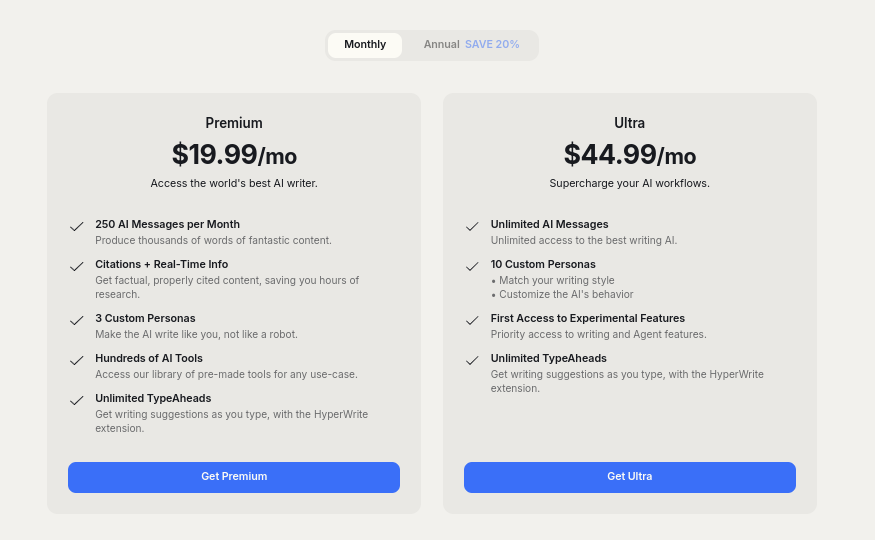
The Free plan lets you test the platform with basic writing help and limited monthly use. It’s good for casual or one-time projects, but not ideal for regular writing.
The Premium plan, starting at $19.99 per month, gives more writing credits, improved accuracy, and access to the personal assistant mode. It’s better suited for students or solo professionals.
The Ultra plan, around $44.99 per month, removes most limits and offers faster responses with deeper context.
Pros and Cons
| Pros | Cons |
| Easy-to-use and beginner-friendly interface | Can lose focus in long or complex pieces |
| Context-aware writing that adapts to tone | Slower output compared to some competitors |
| Built-in rewrite and tone-adjustment tools | Usage limits even on paid plans |
| Works across sites with a browser extension | Creativity sometimes feels repetitive |
| Supports different writing styles (emails, blogs, essays) | No integrated academic tools like APA Citation Generator |
Top Alternative to HyperWrite: CoWriter.ai
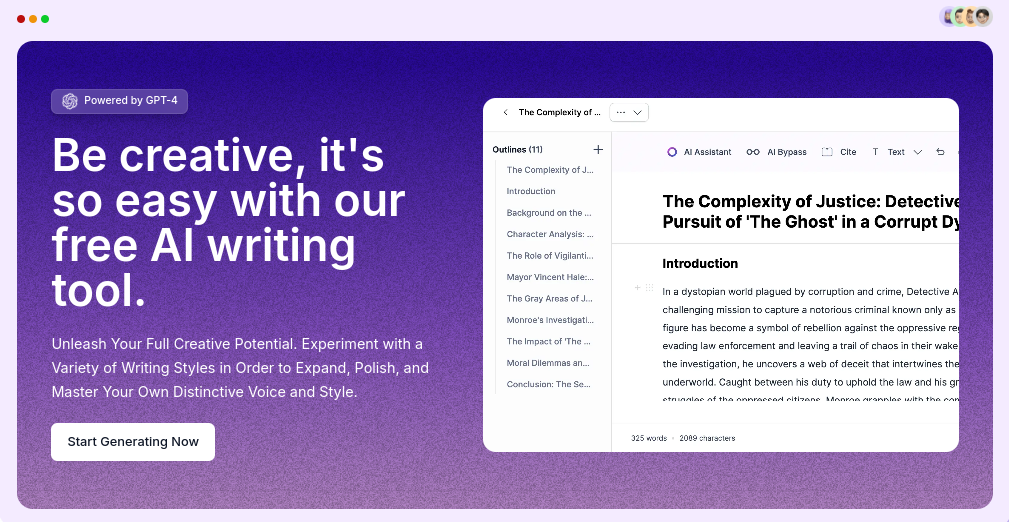
When it comes to the balance between quality, speed, and flexibility, CoWriter.ai stands out as the best alternative to HyperWrite.
It’s an all-in-one AI writing platform built to handle different types of content, such as essays, stories, scripts, blog posts, and even academic work (without losing your tone or flow).
HyperWrite vs. CoWriter.ai Comparison
| Feature | HyperWrite | CoWriter.ai |
| Ease of Use | Simple interface, browser extension required | Unified dashboard, very beginner-friendly |
| Speed | Moderate response time | Faster text generation and editing |
| Accuracy & Context | Good for short pieces, but sometimes drifts in long texts | Strong tone and context retention across all formats |
| Tools & Variety | Focused on writing suggestions and rewriting | Includes Free AI Writer, Story Generator, Script Generator, and APA Citation Generator |
| Free Plan | Limited monthly credits | More open access with no strict caps |
| Rewrite Quality | Decent but may sound repetitive | More natural, human-like phrasing using Undetectable Essays Tool |
| Creativity | Works for general ideas | Excels in storytelling and structured content creation |
| Reliability | Stable, occasional slowdowns | Consistently smooth performance even in long sessions |
| Pricing | Starts at $19.99/month | AI Writer is free; paid upgrades (from $11.99 /month) are optional |
| Best For | Short tasks, email drafting, rewriting | All-purpose writing (blogs, scripts, essays, and academic work) |
CoWriter.ai uses advanced language models to generate, rewrite, and expand content based on your input.
Unlike HyperWrite, it doesn’t just suggest words.
It helps you structure ideas and refine your writing style automatically. Everything is organized inside a simple dashboard, so you can switch between tools easily.
Key Features:
- Free AI Writer: For generating blog posts, social content, or essays without character limits.
- Undetectable Essays Tool: Helps make AI-generated text sound completely human.
- Story Generator: Builds story ideas, characters, and plots automatically.
- Script Generator: For screenwriters and YouTubers who need structured dialogue or scenes.
- APA Citation Generator: Creates formatted citations instantly, which is great for students or researchers.

Other Alternatives to HyperWrite AI
If you’re exploring beyond HyperWrite, a few other AI writing tools are worth checking out.
Each brings something different to the table:
| Tool | Key Features | Pros | Cons | Pricing | Best For |
| HyperWrite | Smart suggestions, rewrite tool, browser extension, context memory | Natural tone, intuitive interface, great flow | Can repeat ideas in longer texts | Free plan; Premium from $19.99/month | Writers who want a balanced, context-aware AI tool |
| Rytr | Writing templates for blogs, emails, and posts | Simple, fast, and beginner-friendly | Limited creativity and tone flexibility | Free plan; Premium from $9/month | Quick drafting or short-form content |
| Jasper | Brand voice, SEO tools, team collaboration | Professional, consistent tone, ideal for teams | Expensive for solo users | Starts at $39/month | Marketing teams and brand writers |
| Writesonic | SEO optimization, SurferSEO integration, Chatsonic AI chat | Strong SEO performance, ready-to-publish drafts | Busy interface, less natural tone | Free trial; Plans from $16/month | Bloggers and SEO content creators |
| Copy.ai | Ad copy templates, idea generation, campaign tools | Creative phrasing, fun to use | Weak on long-form accuracy | Free plan; Pro from $36/month | Social media, ad, and marketing copy |
- Rytr (G2 Top Alternative): Rytr is a go-to for quick, no-fuss writing. It keeps things simple, offering clear templates for blogs, emails, and captions. You just pick a tone, add a topic, and it delivers clean drafts fast.
- Jasper: Jasper shines for marketing and brand-focused writing. It’s great for teams that want consistent tone across blogs, ads, and web copy, and its “brand voice” feature keeps everything sounding on-message.
- Writesonic: Writesonic is built for speed and SEO. It connects with tools like SurferSEO and Chatsonic, helping users produce optimized blog posts or product descriptions that are ready to publish.
- Copy.ai: Copy.ai is perfect for short, catchy copy. It covers ads, taglines, or social media posts. It’s easy to use and gives you plenty of creative options when you’re stuck for ideas.
Final Verdict
So, is HyperWrite AI worth it? Yes.
If you’re after a friendly, quick-to-learn writing assistant that helps you rephrase and organize your thoughts, HyperWrite does a solid job.
But when it comes to consistency, flexibility, and reliability across different content types, CoWriter.ai stands out.
It balances price, accuracy, and versatility, whether you’re writing a script, a research paper, or a professional blog post.
You can even start by trying the Free AI writer.